

Your AI needs more context
And the key is not better prompting.

Hi, it’s Greg and Taylor. 👋 Welcome to Supercompanies, our weekly newsletter about working in the age of AI.
2 months ago, the way I use AI changed - because I started building agents. Today, I have tens of personal agents that automatically perform tasks on my behalf.
In hindsight, the single biggest change that caused this shift was connecting my Granola (AI notetaker) and Slack to Claude Cowork.
This may sound simple or obvious - because it is. But I’m still shocked by the number of people that are frustrated with AI, and when I ask, they haven’t given AI 24/7 access to all of their context.
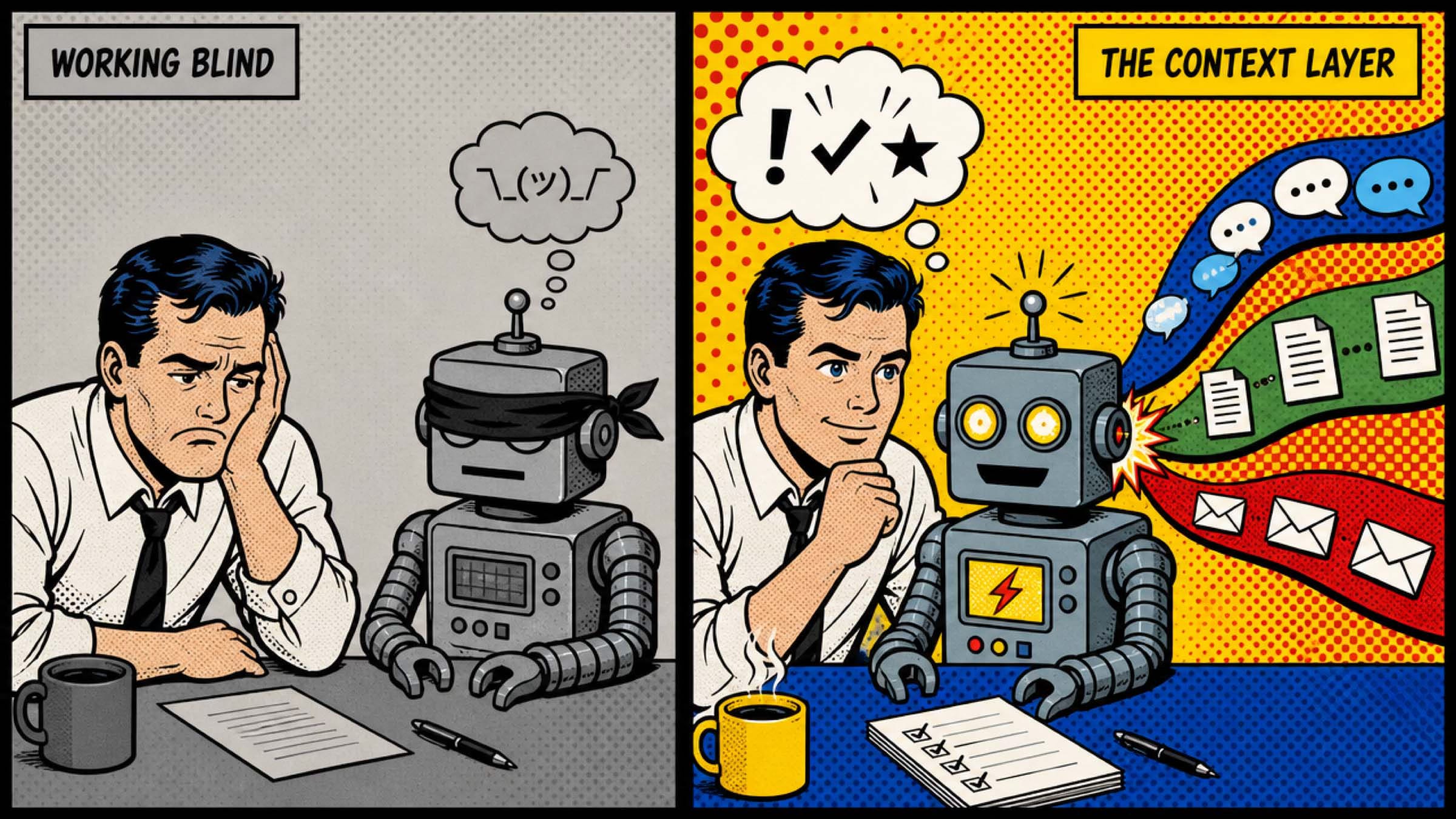
The unlock to getting value from AI isn’t better prompting. It’s building your context layer – the set of live connections between your AI and your real work. So here’s a 5 minute primer on how to significantly accelerate your time-to-value with AI.
- Taylor
Why most people are underwhelmed by AI
When someone tells me AI gives them generic answers or isn’t useful, I almost always ask the same question: What does your AI know about your work?
Usually the answer is very little. Even with custom instructions and file uploads, most people are still missing 80% of the important context that drives company decisions – the insight and signal sitting in Slack/Teams threads, emails, and meeting conversations.
My colleague Chase Ballard said something to me recently that stuck: The reason AI accelerated so quickly in engineering isn’t because engineers are smarter or the tools are better. It’s because code is self-documenting. When you point AI at a codebase, 90% of the context it needs is already there.
The rest of knowledge work isn’t like this. How we work, why decisions were made, and our points of view sit scattered across Slack, email, one-off conversations, and in people’s heads.
An agent without context is just a chatbot with a schedule. An agent with access to your transcripts, your Slack threads, and your files or docs can actually be useful.
Where to start
For most people, 90% of your work context lives in two places: your conversations and your company’s communication nervous system - Slack, Teams, or email. Connect those two things and your AI changes overnight.
Here’s how we’d prioritize it:
1. Meeting transcripts. This is the single highest-value connection you can make. We use Granola, but Fathom, Firefly, and others work too – the point is that the transcripts (not the AI-generated notes) are connected to your AI. You want the raw transcripts because they contain decisions, commitments, disagreements, and tone. This is where the real context lies.
2. Slack or Teams. Whatever the real-time communication layer is at your company, that’s where the informal decisions happen and the actual state of projects lives. This is the nervous system of the org – connect it.
3. Email. For some companies, this is still where the real work happens. It’s also more relevant if you’re client-facing. If that’s you, connect email.
4. Documents and files. Google Drive, Notion, Confluence – wherever the canonical versions of things live.
5. CRM or project tools. Salesforce, HubSpot, Asana – structured data about customers and projects that rounds out the picture.
You don’t need all five on day one. Start with your transcripts and your messaging tool. That’s enough to fundamentally change how you work with AI.
How my work changed
I have two new workflows since connecting my Granola and Slack to Cowork.
1. AI generates my V1s
Before this, I could never get strong enough V1s from AI, so I was still writing them myself. Now I only draft V1s using AI. I usually start with a prompt like this:
“Look at the transcript from my meeting with Greg on Tuesday about a new proposal template. Based on our conversation, summarize our goals, and then draft me a new proposal outline.”
💡Pro tips
Specifically tell AI to look at the transcript, not the meeting notes (lots of context gets lost when Granola or a similar app summarizes)
Build the hourly habit of making sure your Granola is running – this is now so engrained in my workflows that I’m in a tough spot when I forget to record a conversation (with Granola, it does record automatically)
2. My AI agents brief me
Every morning, my AI Chief of Staff messages me on Slack with a briefing – what I need to know today. Every evening, my AI Accountability Agent messages me what I said I’d do all day that I haven’t done. Every day, my Interview Agent reviews my Granola transcripts for any interviews, scores candidates against my rubrics, and ranks them against previous candidates.
None of these automations would be possible (or valuable) without Slack and Granola connected.
💡Pro tips
Tell AI what’s important to you – otherwise you’ll be inundated with information, now that AI has all the context, your prompting shifts to specing the output you want
Guide AI to relevant Slack or Teams channels where relevant – your agents will work more quickly (and more affordably) if you narrow their context when possible (vs. asking them to review every channel you’re in every time)
The hard part isn’t technical
Connecting these data sources as an individual is straightforward. Most AI tools now have connectors or MCPs that make this possible with a few clicks. The hard part is that many companies still haven’t gotten comfortable with allowing employees to turn these connectors on.
Connectors today have two types of access to company data – read access (they can view information in the system) and write access (they can take action in the system).
This means that connectors bring up questions like:
What if AI sends an email to a client without my permission?
Some of my Slack messages are for certain eyes only – how do I avoid accidentally sharing information not meant for the recipient?
What about a board meeting transcript? Should that be in the context layer? (We had this exact question come up recently, and the honest answer is we’re still figuring it out.)
These are real concerns, and different companies will answer them differently based on their industry, their data sensitivity, and their risk tolerance. But every Supercompany will figure out how to wire up their AI to as much context as possible for as many employees as possible. It’s the only way to harness AI’s most powerful capabilities.
Have a great week,
Greg and Taylor